SendLull · Outlook add-in
A few minutes to catch a mistake.
New Outlook and Outlook on the web have no rule to delay every email the way classic Outlook did. SendLull brings it back: press Send as usual, and each message waits in your Drafts folder for the minutes you choose, so a wrong recipient, a missing attachment or a typo can still be fixed. Coming to Microsoft Marketplace.
SendLull at a glance
- What it is
- Outlook add-in for the Microsoft Marketplace
- For
- People
- Price
- $2 a month
- Website
- sendlull.com
What SendLull does
No extra click
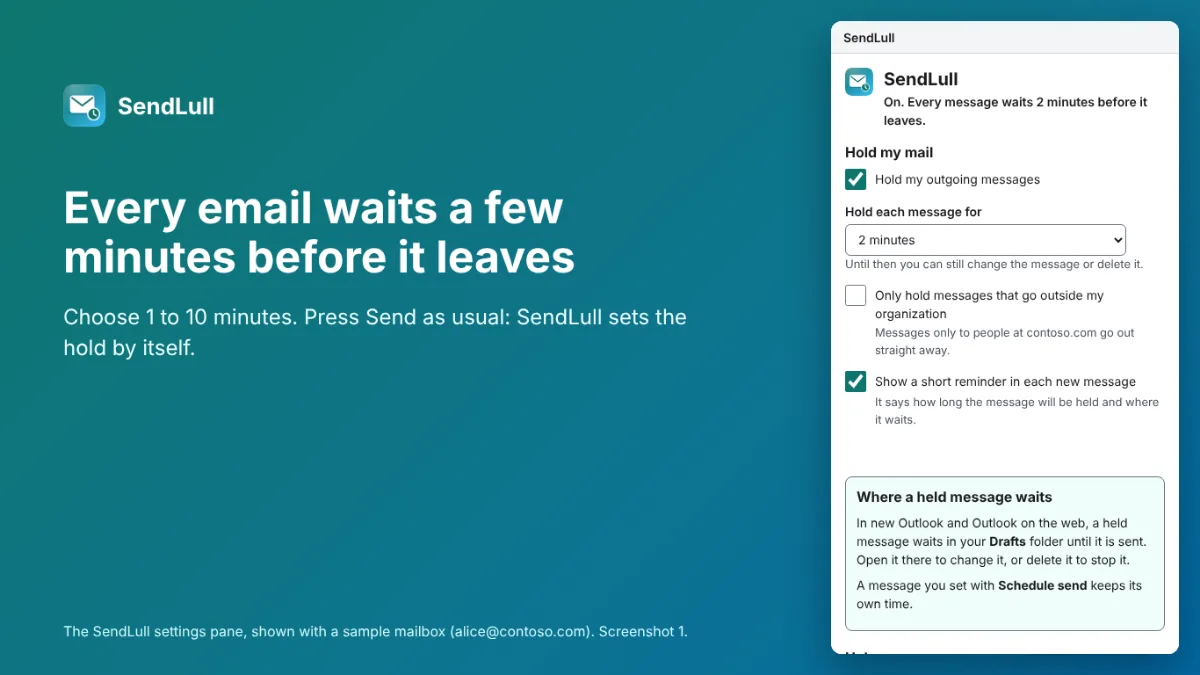
Press Send as usual. SendLull sets the message’s delivery time a few minutes later by itself, with no dialog.
Fix it in Drafts
The held message waits in your Drafts folder. Open it to change it, or delete it to stop it.
Your time, 1 to 10 minutes
Two minutes to start. A message you set with Schedule send keeps its own time.
Only outside mail, if you like
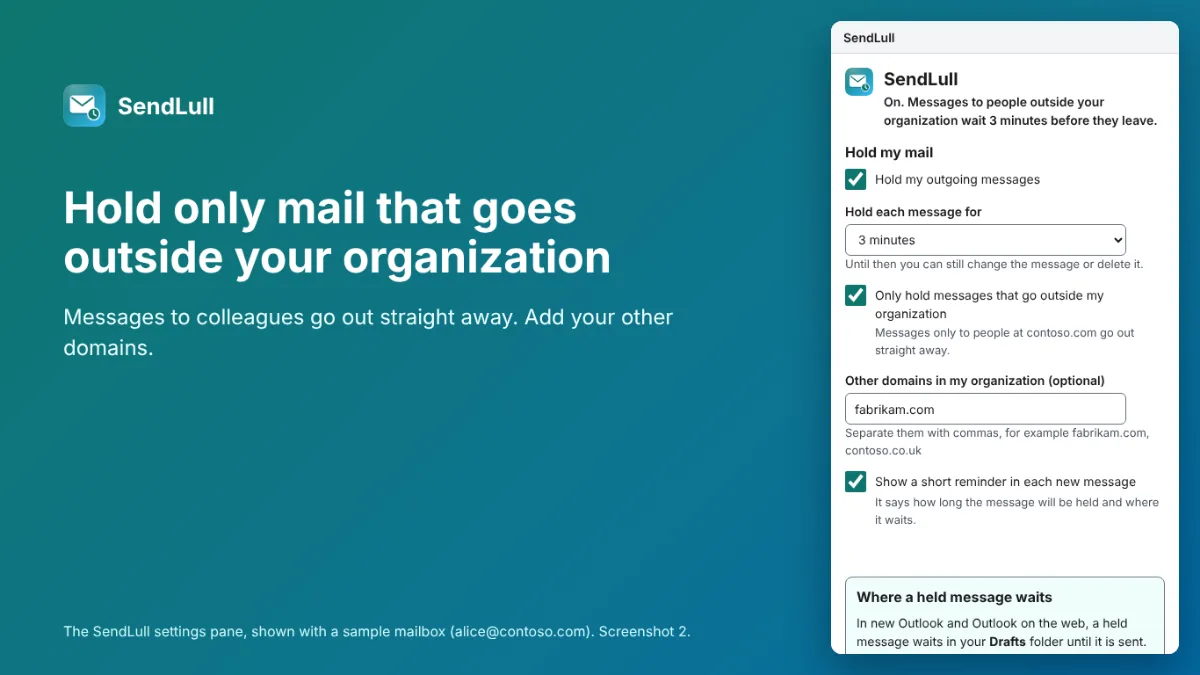
Hold only messages that go outside your organization, so notes to colleagues go out at once.
See SendLull at work
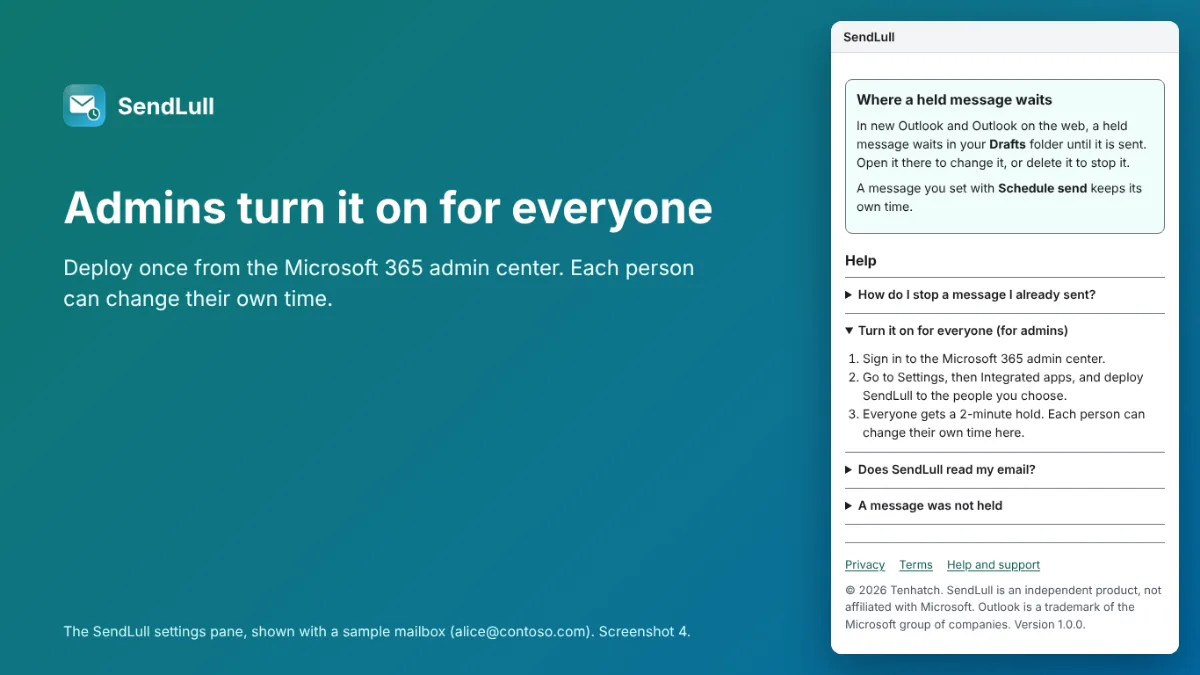
Real screenshots of SendLull's settings pane, the page Outlook shows beside a message, built and run with a sample mailbox; Outlook itself is not shown.
Who it’s for
- People who moved to new Outlook or Outlook on the web and miss the “defer delivery” rule
- Teams where one wrong recipient or a forgotten attachment is costly
- IT admins who want a send delay for everyone, set up once
How it works
- Your admin adds SendLull from Microsoft Marketplace for everyone, or for the people chosen.
- Everyone gets a 2-minute hold; each person can change it in SendLull’s pane.
- Press Send: the message waits in Drafts for the minutes chosen, then goes.
- Spot a mistake? Open it from Drafts and fix it, or delete it.
SendLull pricing
Pro
$2 a month
14-day free trial
Every feature free for 14 days, then Pro: $2 a month or $20 a year per person, paid on Stripe’s checkout from inside the add-in. An admin can buy seats for the whole organization. Refunds within 14 days.
Questions about SendLull
Does SendLull read my email?
No. When you press Send it reads only the message’s delivery time and, if you hold only outside mail, the recipients’ addresses, inside Outlook. Nothing about your messages leaves your mailbox.
Which Outlook does it work in?
New Outlook for Windows, Outlook on the web and Outlook for Mac, with a Microsoft 365 work or school account. Classic Outlook for Windows has its own delay rule, so SendLull lets mail go at once there.
Can it ever stop my email from going out?
No. If SendLull cannot set the hold, Outlook asks whether to send anyway; if Outlook cannot load SendLull, the message is sent as normal.
Related Tenhatch tools
EmailSifter
Checks up to 100 email addresses at a time: badly written, no such domain, no mail server, throwaway addresses and typos like gmial.com, each with a plain reason.
CheckoutBeat
Walks your Shopify or WooCommerce store’s product page, cart and checkout on a schedule, stops before paying, and alerts you by email, Slack or SMS when a step breaks.
AccessDiff
Scans your sites every week with automated accessibility checks, shows what changed since the last scan, and sends a report you can forward.
Need something like SendLull made for your business? Tell us what you need.
Not affiliated with, endorsed by or sponsored by Microsoft. Microsoft and Outlook are trademarks of the Microsoft group of companies.