FeedTrim · Chrome extension
Filter your Upwork job feed and see client quality at a glance.
FeedTrim hides the Upwork jobs you would never apply to and badges the rest with the client’s rating, hire rate and total spent. It runs in your browser, and your rules stay in Chrome.
FeedTrim at a glance
- What it is
- Chrome extension for the Chrome Web Store
- For
- People
- Price
- Free, or $6 a month
- Website
- feedtrim.com
What FeedTrim does
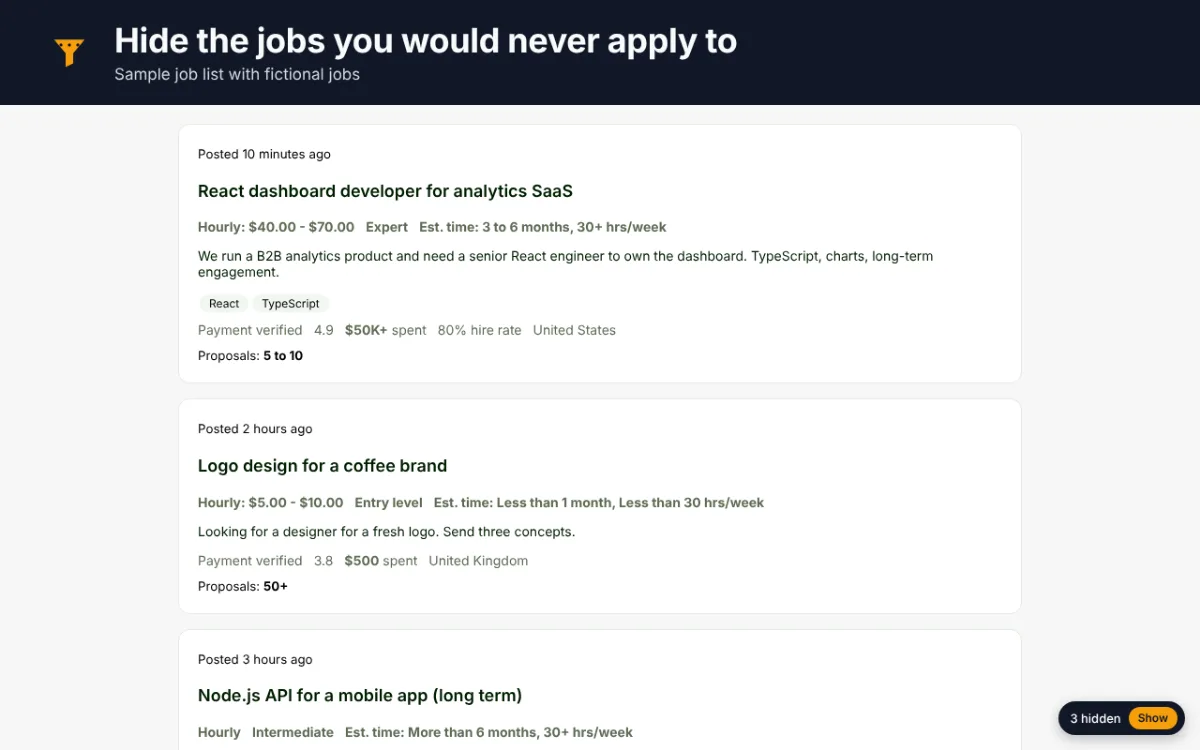
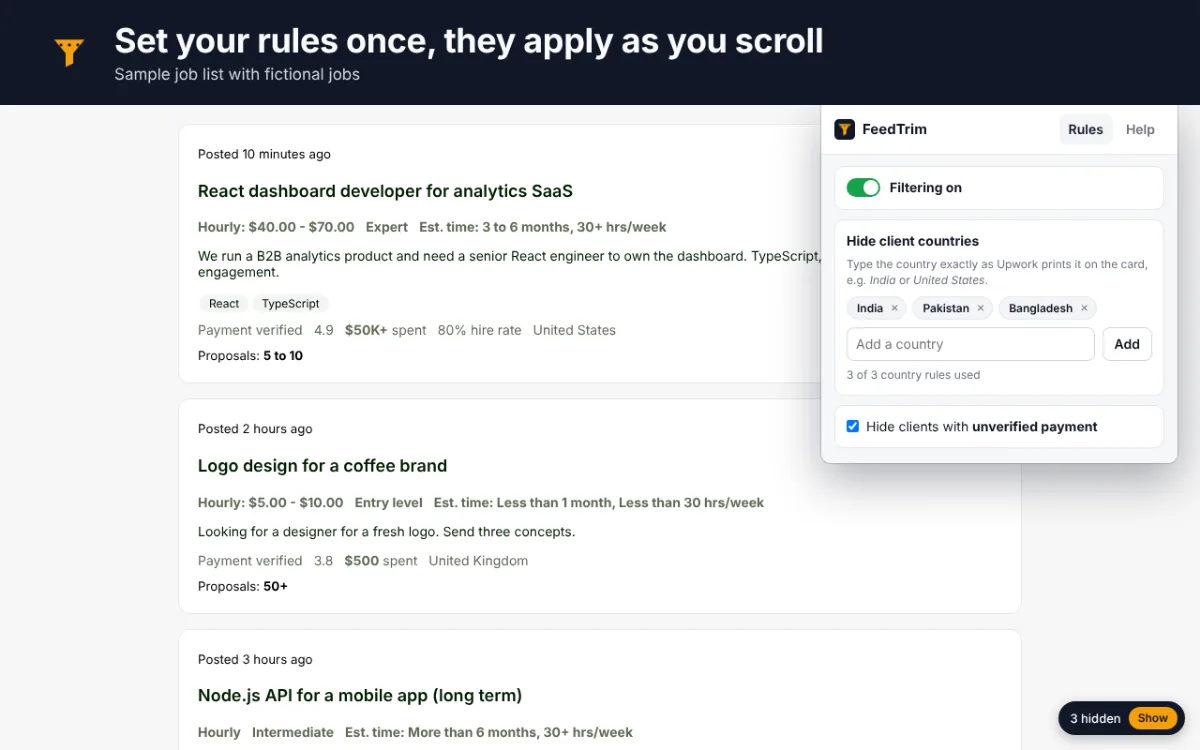
Hide what you never apply to
Client countries you do not work with and clients whose payment method is unverified, on the free plan.
Budget, proposals and keywords
On Pro, hide jobs below your minimum budget or rate, jobs with 50 or more proposals, and jobs with words you never want to see.
Client quality badges
On Pro, every remaining card shows the client’s rating, hire rate and total spent, read straight from the card.
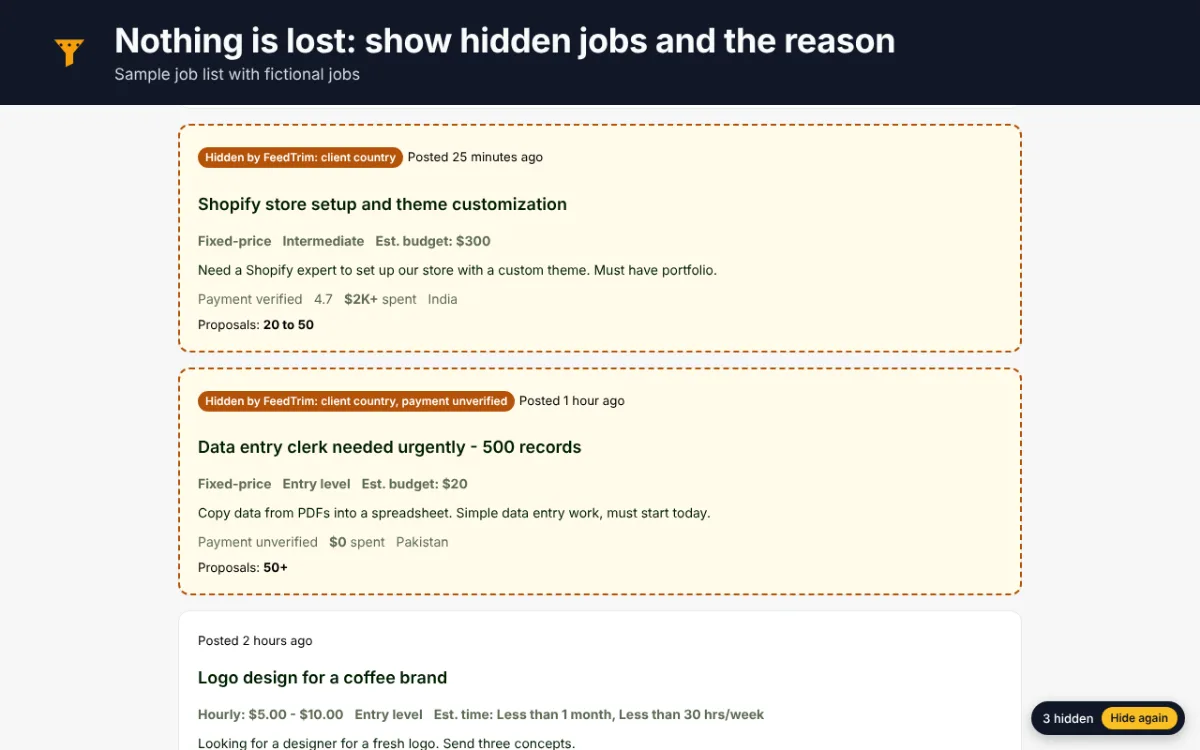
Nothing is lost
A small “N hidden” pill counts what was hidden; one click shows those jobs again, labelled with the reason.
See FeedTrim at work
Real screenshots of FeedTrim, taken on a sample page with fictional data.
Who it’s for
- Freelancers who scroll past dozens of jobs to find one worth a proposal
- Agencies that bid on Upwork and want a cleaner feed
- Anyone who wants to hide unverified clients or crowded jobs
How it works
- Add FeedTrim to Chrome. The free plan needs no account and no payment.
- Open it from the toolbar and choose what to hide.
- Browse Upwork as usual: FeedTrim hides the cards your rules reject and badges the rest.
FeedTrim pricing
Free
$0
Pro
$6 a month
The free plan has no time limit. FeedTrim Pro is an optional subscription, paid from inside the extension.
Questions about FeedTrim
Does FeedTrim send my data anywhere?
No. It reads the job cards already on your screen and keeps your rules in Chrome’s extension storage. The only outside service is the payment provider for the optional Pro plan.
Does it apply to jobs for me?
No. It never clicks or submits anything on Upwork, never applies or bids, and does not export job data.
Which pages does it work on?
Your Upwork job feed on the free plan, plus search and saved-search pages on Pro.
Related Tenhatch tools
OrderColor
Color-codes the orders list in your Shopify admin by tag, country, total or status, so the orders that matter stand out. Runs in your browser.
Career Site Jobs
Company career pages in, clean job postings out. A hiring-signals mode reports which roles were added or removed since the last run.
Need something like FeedTrim made for your business? Tell us what you need.
Not affiliated with, endorsed by or sponsored by Upwork Inc. or Google. Upwork and Chrome are trademarks of their owners.