OrderColor · Chrome extension
Color-code Shopify orders so the ones that matter stand out.
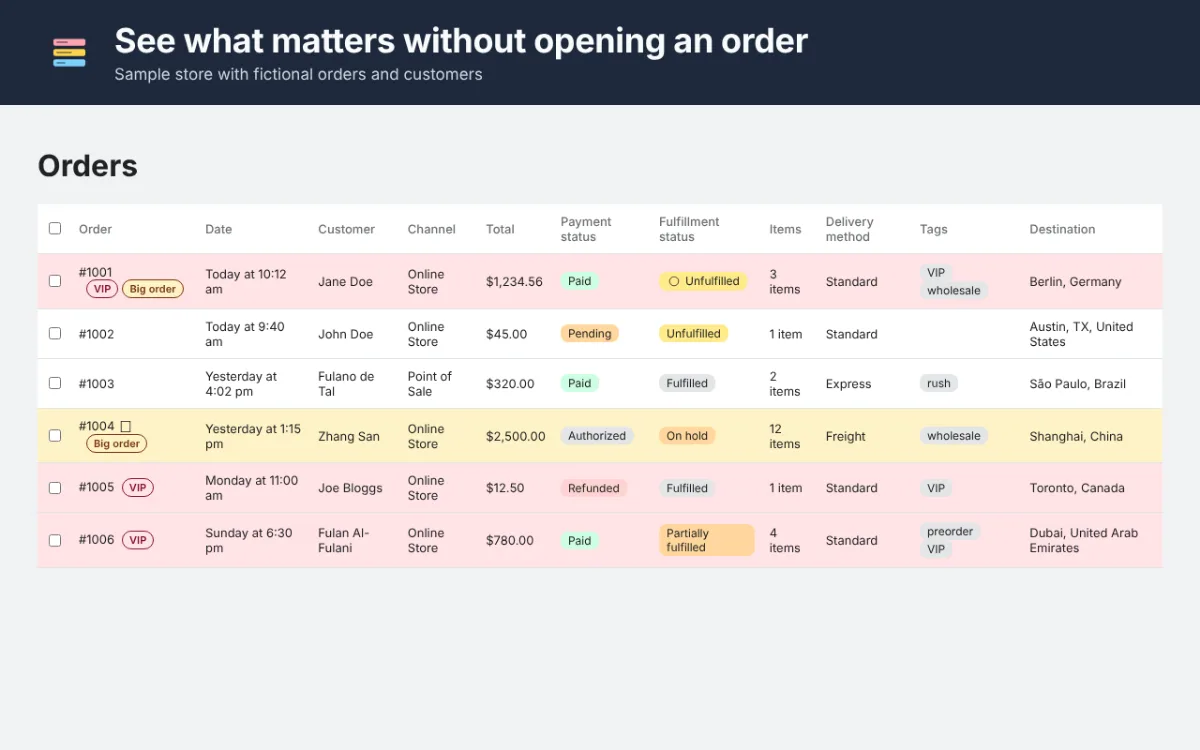
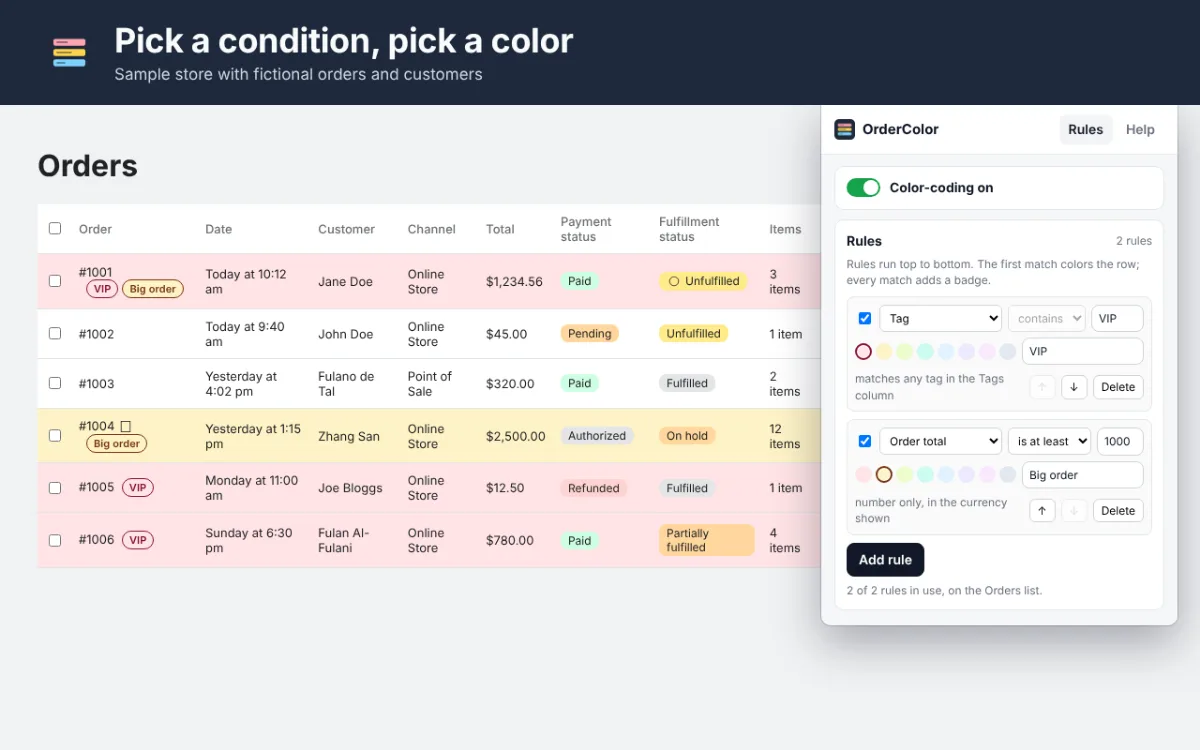
OrderColor tints and badges the rows of the Orders list in your Shopify admin by tag, shipping country, order total, payment or fulfillment status. Pick a condition, pick a color. Your rules stay in your browser.
OrderColor at a glance
- What it is
- Chrome extension for the Chrome Web Store
- For
- People
- Price
- Free, or $7 a month
- Website
- ordercolor.com
What OrderColor does
Any tag, any color
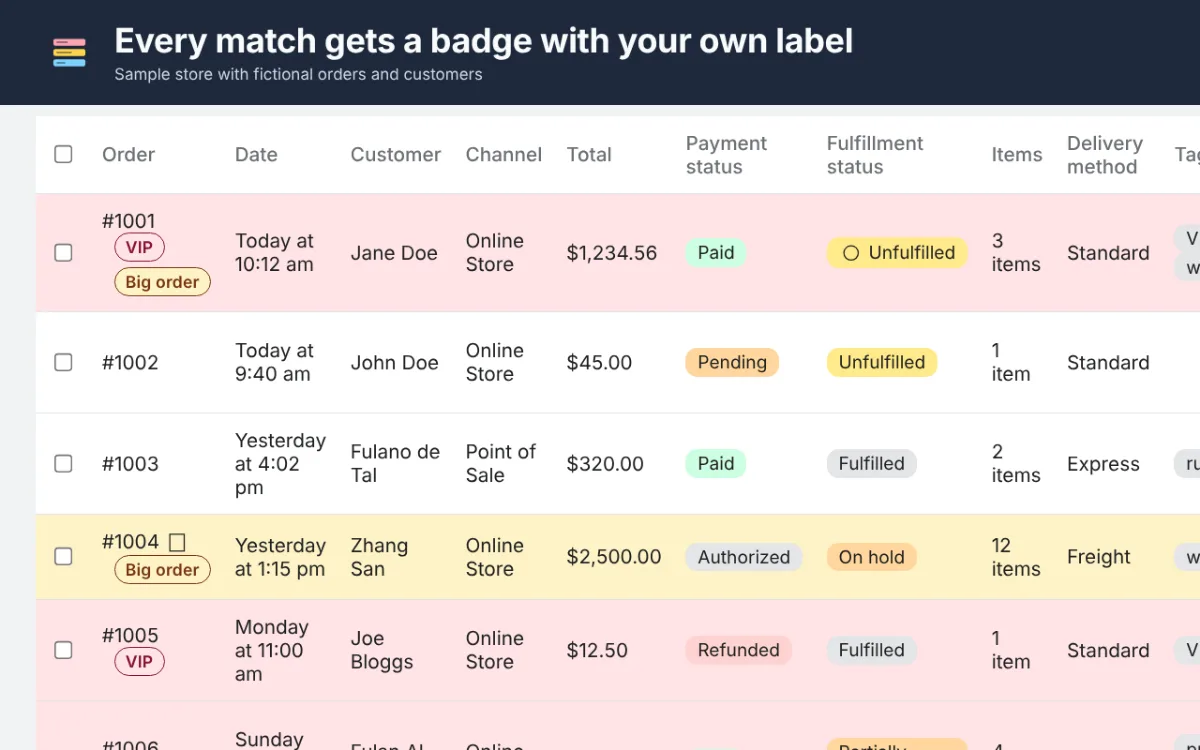
“VIP”, “wholesale”, “rush”: any tag in the Tags column, in one of eight colors, with your own badge text.
Country, total and status
Color by shipping country, by order total, or by fulfillment and payment status.
Every page of the list
Rules apply on every page of the Orders list, after every filter and sort.
Products and Customers on Pro
Pro adds unlimited rules, the Products and Customers lists, and rules you can import and export.
See OrderColor at work
Real screenshots of OrderColor, taken on a sample page with fictional data.
Who it’s for
- Shopify merchants who pack and ship their own orders
- Teams who need VIP, wholesale or rush orders to stand out
- Anyone who wants color-coded order tags in the Shopify admin
How it works
- Add OrderColor to Chrome. The free plan needs no account and no payment.
- Open it from the toolbar, add a rule such as “Tag contains VIP” and pick a color.
- Open your Orders list: every matching row is tinted and badged.
OrderColor pricing
Free
$0
Pro
$7 a month
The free plan has two rules on the Orders list and no time limit. OrderColor Pro is an optional subscription, paid from inside the extension.
Questions about OrderColor
Does OrderColor change my orders?
No. It only colors what your browser shows in the Shopify admin. Your orders, tags and notes stay exactly as they are.
Where are my rules kept?
In your browser. On Pro you can export them as a file to share a set with your team or move it to another computer.
Related Tenhatch tools
InStock First
Sold-out products sink below in-stock ones in the collections you choose and float back when restocked. No theme edits, nothing hidden.
CheckoutBeat
Walks your Shopify or WooCommerce store’s product page, cart and checkout on a schedule, stops before paying, and alerts you by email, Slack or SMS when a step breaks.
FeedTrim
Hides the Upwork jobs you would never apply to and badges the rest with client quality. Runs in your browser; your rules stay in Chrome.
Need something like OrderColor made for your business? Tell us what you need.
Not affiliated with, endorsed by or sponsored by Shopify Inc. or Google. Shopify and Chrome are trademarks of their owners.